
Stay Discovery and Booking
Browse hotels, villas, cabins and hostels through structured filters, then book from a panel that shows the total before you commit.
These images are illustrations of the concept, not screenshots of the actual product.
Overview
Accommodation is where a trip either becomes real or stalls. This concept covers the full path from a filtered grid of places to stay through to a booking panel that prices the dates, the guests and the fees in one place, so the traveler sees the true total before they commit rather than after.
The first illustration shows the hospitality browse view. A filter bar runs across the top with controls for property type, price, guests, rating and amenities, and a clear-all reset beside them. Results appear as image cards, each carrying a property name, a type label such as boutique, villa, hostel, cabin, bungalow or hotel, a nightly rate and a star rating, with a save control on the image. A load-more control at the foot extends the grid in place rather than paging away from it, which keeps a long browse session intact. Every property, rate and rating is invented sample data.
The second illustration opens one of those properties. A back link returns to the results, share and save actions sit at the top, and a large hero image runs above a filmstrip of further photos with a view-all-photos control. The left column carries the property name with its type badge, a rating with a review count, a short description, a capacity line covering guests, bedrooms and bathrooms, and a row of amenity chips. Below that, a host block identifies the operator with a verification tick, a professional-host label, a portfolio count and a rating, alongside a contact action.
The booking panel on the right is the heart of the concept. It leads with the nightly rate and rating, then offers check-in and check-out date selectors and a guest selector. Underneath, the price is itemized line by line: the nightly rate multiplied by the number of nights, taxes and fees, and a service fee, each with an information marker, resolving to a total. A primary button books the stay, a secondary link compares other stays, and a footnote states that booking is secure with no hidden fees. Nothing is revealed at the last step, because there is no last step to hide it in.
The third illustration repeats the browse view in a light theme with a slightly different filter set, including a destination control and a check-in to check-out control, and cards that carry badges such as popular, luxury or budget. It shows the same discovery concept rendered for a different appearance preference, which matters because travelers plan at midnight and at midday. Stays discovered here feed the same itinerary, checkout and trip timeline as tours, activities and event tickets.
What this concept shows
- A filter bar for property type, price, guests, rating and amenities with a single clear-all reset
- Property cards showing a type label, nightly rate, star rating and a save control
- A load-more control that extends the grid in place instead of paging away
- A detail page with a hero image, a thumbnail filmstrip and a view-all-photos action
- Capacity details for guests, bedrooms and bathrooms alongside amenity chips
- A host block with a verification tick, professional-host label, portfolio count, rating and a contact action
- A booking panel with date and guest selectors and a line-by-line total covering nights, taxes and service fee
- The same browse view rendered in a light theme with badges such as popular, luxury and budget
How it works
- Open the stays view and narrow the grid with property type, price, guests, rating and amenity filters.
- Scan the cards for type, nightly rate and rating, saving candidates and loading more results as needed.
- Open a property to review its photos, description, capacity, amenities and host credentials.
- Set check-in and check-out dates and the number of guests in the booking panel.
- Read the itemized total covering nights, taxes and fees, and the service fee before deciding.
- Book the stay, or use the compare link to weigh it against other options first.
Who it's for
- Leisure travelers choosing where to stay
- Group organizers matching capacity to a party
- Budget-conscious travelers comparing total cost
- Hosts reviewing how their listings are presented
Illustrations
3 illustrations of this concept. Select one to view it full size.
Stay Discovery Grid With Filters
A dark desktop view of the stays section. A left rail lists dashboard, search, travel, hospitality, tourism, entertainment, bookings, favorites, provider and analytics, with an account card at the bottom. A heading introduces property discovery above a filter bar offering type, price, guests, rating and amenities as dropdowns, with a clear-all control at the right. Six image cards fill the grid, each with a save heart on the photo, a property name, a type label such as boutique, villa, hostel, cabin, bungalow or hotel, a nightly rate and a star rating. A wide load-more button sits centered beneath the grid, implying the list extends in place rather than paging. A notification bell and account avatar sit in the header. All properties, rates and ratings are invented sample data.
Property Detail With Itemized Booking Panel
A dark desktop detail page. A back-to-search link, share and save actions sit above a large hero photo with a view-all-photos control and a scrollable thumbnail filmstrip. The left column shows the property name with a type badge, a star rating with a review count, a short descriptive paragraph, a capacity line covering guests, bedrooms and bathrooms, and amenity chips for connectivity, a rooftop, breakfast, a sea view and air conditioning. Beneath, a host block shows a verified operator with a professional-host label, a portfolio count, a rating and a contact button. The right panel leads with the nightly rate and rating, then check-in, check-out and guest selectors, followed by line items for nights, taxes and fees and a service fee, a total, a book button, a compare link and a secure-booking note. All figures are invented sample data.
Stay Discovery in a Light Theme
A light desktop view of the stays section. The left rail repeats dashboard, search, travel, hospitality, tourism, entertainment, bookings, favorites, provider and analytics, with a card inviting property owners to become a provider. The header holds a menu control, a wide search field with a keyboard shortcut hint, notifications, messages, a language control and an account chip showing a traveler role. A filter row offers destination, a check-in to check-out range, guests, price, property type, rating and a more-filters control, with a sort selector at the right. Six cards show a photo with a badge such as popular, luxury or budget, a save heart, a property name, a type line, a nightly rate and a star rating. A load-more button sits below the grid. All listings and figures are invented sample data.
Topics
- stay discovery and booking
- property search filters
- hotel and villa booking page
- itemized booking total
- nightly rate taxes and service fee
- verified host profile
- amenities filter travel
- load more property results
- light theme booking interface
- accommodation marketplace listing
Related concepts
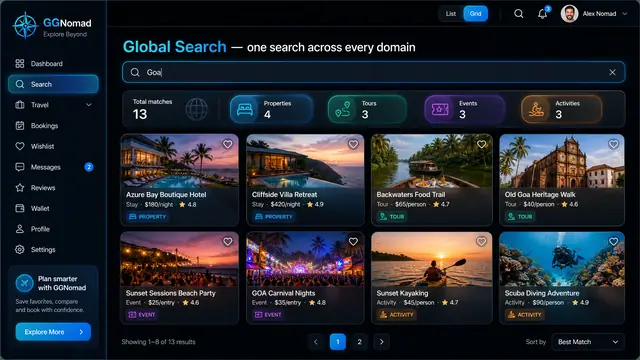
One Search Across Every Domain
A single query returns stays, tours, events and activities side by side, on desktop or phone, with a shortlist that keeps them together.
3 illustrations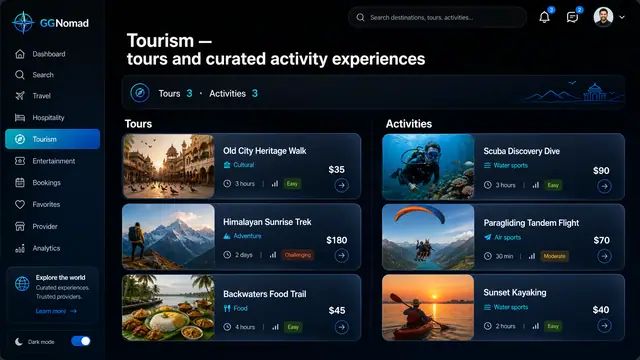
Tours and Activity Experiences
Guided tours and short activities side by side, with duration and difficulty up front and a guide you can judge before booking.
2 illustrations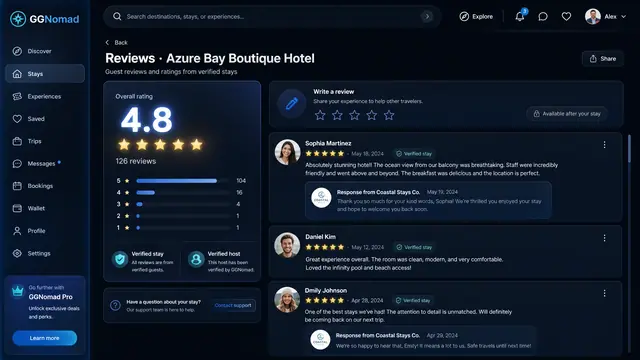
Verified Reviews and Host Responses
Ratings built only from verified stays, a clear score breakdown, and hosts who can reply in public, right under each review.
1 illustration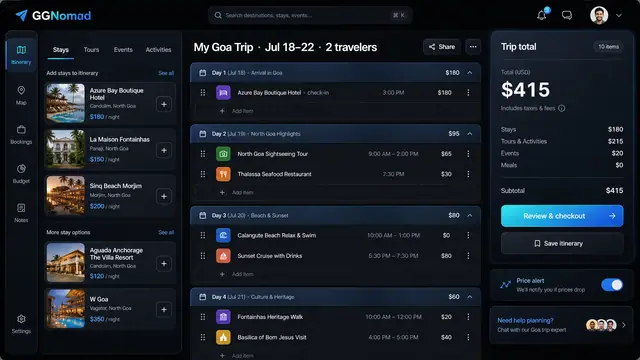
Day-by-Day Itinerary and Unified Checkout
Build the trip day by day with a running total, then pay for every stay, tour and ticket in one transparent checkout.
3 illustrations