
Day-by-Day Itinerary and Unified Checkout
Build the trip day by day with a running total, then pay for every stay, tour and ticket in one transparent checkout.
These images are illustrations of the concept, not screenshots of the actual product.
Overview
A trip is usually a pile of separate confirmations, each with its own fees revealed at the last step. The Day-by-Day Itinerary and Unified Checkout concept turns it into one object. The design envisions an itinerary builder where stays, tours, events, activities and meals are arranged by day, a running total that updates as the plan grows, and a single checkout that pays for everything at once with every charge shown up front.
In the builder, a catalog panel on the left offers tabs for stays, tours, events and activities, with cards that join the plan through a plus button. The center column holds the trip itself: a title with dates and traveler count, then collapsible days, each with a theme, a day subtotal and time-slotted items that can be reordered by drag handle, plus an Add item row. On the right, a Trip total card breaks the cost down by stays, tours and activities, events and meals, and offers Review and checkout or Save itinerary, alongside a price-drop alert toggle and a shortcut to chat with a trip expert.
Checkout is framed as one plan, one payment. An order summary lists each item with its type and price, then the subtotal, taxes, service fee and total. The middle column collects traveler details and payment, with a card form and digital-wallet options. The right column restates the total to pay, promises all-inclusive pricing with every tax and fee shown before payment, and ends in a single Confirm and pay button.
A phone version keeps the same plan in the pocket: days stacked as expandable sections, each item with its time and price, and a sticky bar showing the total trip cost with the same Review and checkout action. Wherever it is edited, it stays one itinerary, the same one that later becomes the live trip timeline in GGNomad.
What this concept shows
- Catalog panel with stays, tours, events and activities tabs and one-click add to the plan
- Collapsible days with themes, day subtotals, time slots and drag-to-reorder items
- Running trip total broken down by stays, tours and activities, events and meals
- Price-drop alert toggle plus save, share and review-and-checkout actions
- Single checkout itemizing every booking with subtotal, taxes, service fee and total
- Traveler details and payment by card or digital wallet in one form
- All-inclusive total repeated on the pay button before the traveler commits
- Mobile itinerary with stacked days and a sticky total-and-checkout bar
How it works
- Browse the catalog panel and add stays, tours, events and activities to the plan.
- Arrange items across days, drag them into order and fill gaps with Add item.
- Watch the running total and its category breakdown, and switch on a price-drop alert if useful.
- Save or share the itinerary, then choose Review and checkout.
- Check the itemized order summary, including taxes and the service fee.
- Enter traveler details, choose a payment method and confirm the whole trip in one payment.
- Revisit the same plan on a phone, where the total and checkout action stay pinned at the bottom.
Who it's for
- Leisure travelers planning multi-day trips
- Couples and families booking several items together
- Entertainment seekers pairing events with stays
- Travel agencies building itineraries for clients
Illustrations
3 illustrations of this concept. Select one to view it full size.
Itinerary Builder with Running Total
This desktop illustration shows a sample multi-day beach trip being planned for two travelers. A slim rail on the far left switches between itinerary, map, bookings, budget and notes. The catalog panel beside it has tabs for stays, tours, events and activities, listing stay cards with a photo, area, nightly rate and a plus button, plus a More stay options section. The center column shows collapsible days, each with a date, a theme such as arrival or culture and heritage, a day subtotal, and items with drag handles, category icons, time windows, prices and overflow menus, followed by a dashed Add item row. On the right, a Trip total card shows the item count, a large total, a breakdown by stays, tours and activities, events and meals, a Review and checkout button and Save itinerary, with a price-drop alert toggle and a chat-with-an-expert shortcut below.
Unified Transparent Checkout
This desktop illustration shows the checkout, headed one plan, one payment, with a secure checkout marker. The Your order panel lists five sample items, including a boutique hotel stay with its nights, a food trail, a kayaking session, a festival ticket and a dive, each with a thumbnail, type and price, then the subtotal, taxes and service fee with info icons, and the total in USD. The middle column collects traveler details, namely first and last name, email, phone with country code, nationality and date of birth, and a payment method, offering a card form or two digital wallets with a save-card option. The right column restates the total to pay, explains all-inclusive pricing with every tax and fee shown before paying, lists reassurances about hidden charges, cancellation and support, and ends in a Confirm and pay button carrying the total. A loyalty-points card sits in the sidebar.
Mobile Trip Itinerary
This mobile illustration shows the trip on a phone. A header carries a menu button, the GGNomad wordmark and a notification bell with an unread dot, followed by the trip name and date range. Three day sections, each labeled with its day number, date and weekday and a collapse chevron, list the plan's items: a hotel check-in, a free beach sunset, dinner, a morning cruise, a heritage visit, a market, a waterfall day trip and a seaside dinner. Each item has a category icon, a time window and a price, with free items shown at zero. A sticky bar at the bottom pairs the total trip cost with a Review and checkout button, and the tab bar offers home, search, trips, bookings and profile, with Trips marked active.
Topics
- day by day itinerary builder
- trip planner with budget
- book hotel tours and tickets together
- single checkout for travel
- transparent travel pricing
- itemized taxes and fees
- mobile trip itinerary
- travel price drop alert
- all-inclusive trip total
Related concepts
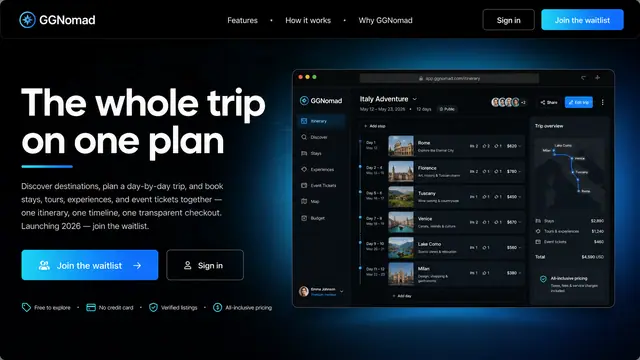
The Whole Trip on One Plan
Stays, tours, experiences and event tickets gathered into one itinerary, one timeline and one transparent checkout.
1 illustration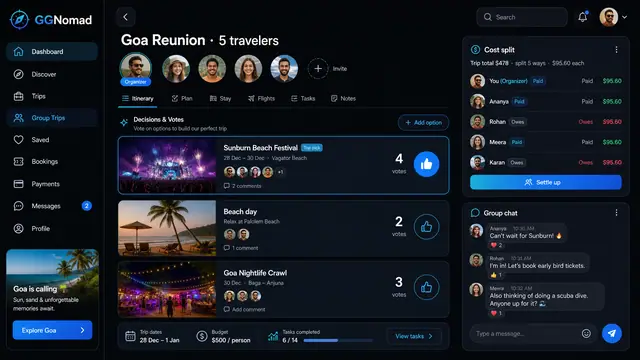
Group Trips with Voting and Cost Split
Invite the group, vote on what to do, split the cost fairly and keep the chat next to the plan instead of in another app.
1 illustration
Live Trip Timeline and Notifications
Follow every booking from booked to completed on one timeline, with reminders, weather and confirmations that land on your phone.
2 illustrations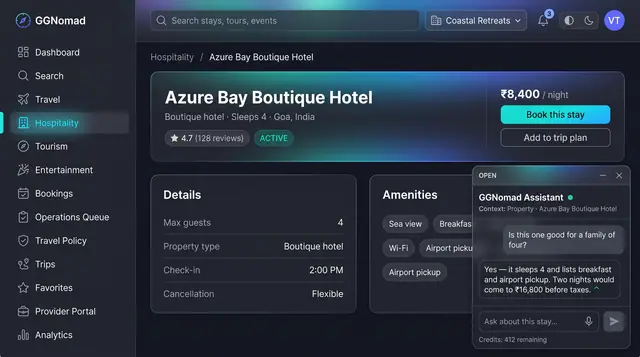
AI Trip Assistant and Itinerary Drafts
An assistant that knows which listing you are looking at, and a day-by-day draft plan you review, edit and accept before anything is booked.
2 illustrations